Monday, June 8, 2026

SUGCON India 2026 — My Key Takeaways from Two Days in Delhi


Hello Sitecorian Community,

SUGCON (Sitecore User Group Conference) India 2026 just wrapped up in Delhi on June 4–5, and what an incredible two days it was!

If you couldn’t make it this year, or if you attended and want a structured recap of everything that happened — this post is for you. I’m going to walk through the biggest announcements, the sessions that stood out, and what I personally think you should be paying attention to as a Sitecore practitioner right now.

Let’s dive in. 🚀

🔷 The Big Announcement: Sitecore vNext

If there was one topic that had every room buzzing at SUGCON India 2026, it was Sitecore vNext.

The next major evolution of the Sitecore Platform DXP is officially on the horizon — and here’s what makes it genuinely exciting: it’s not the kind of “upgrade” that forces you to rewrite everything overnight.

What we know about vNext so far:

  • Built on a modern .NET foundation, fully aligned with Microsoft’s long-term roadmap
  • Uses the Strangler Fig pattern for gradual modernization — you adopt new capabilities at your own pace, alongside your existing implementation
  • No forced migrations, no massive rewrites
  • AI-powered authoring experiences built in from the start
  • A refreshed Content Editor and Experience Editor experience
  • Support for Windows Server 2025, SQL Server 2025, Solr 10, and .NET 10
🔥 What really got the room talking: The Strangler Fig approach means organisations can introduce vNext capabilities gradually — running them alongside what they already have, and transitioning components when the time is right for them. That’s a massive shift from the traditional “big bang” upgrade model Sitecore customers have been used to.

And the bridge to get there? Sitecore 10.5.

Sitecore 10.5 is the next stepping stone and it’s already delivering AI-powered authoring capabilities as a preview of what vNext will bring at scale.

✅ Three Things You Can Start Doing Right Now

  1. Build clean separation between your Sitecore implementation and custom code — this is what makes the Strangler Fig approach actually work
  2. Stay current — 10.4 and 10.5 are key modernization milestones, don’t fall behind
  3. Invest in automation — DevOps pipelines, CI/CD, and regression testing will be your best friends during any gradual migration

🔷 AI Is Moving From Buzzword to Engineering Discipline

This was the theme that ran through almost every technical session at SUGCON India 2026: AI has moved out of the slide deck and into the codebase.

The conversations weren’t about whether to use AI. They were about how to engineer with it properly.

Two sessions stood out here in particular.

Building AI-Powered Migration Engines with MCP

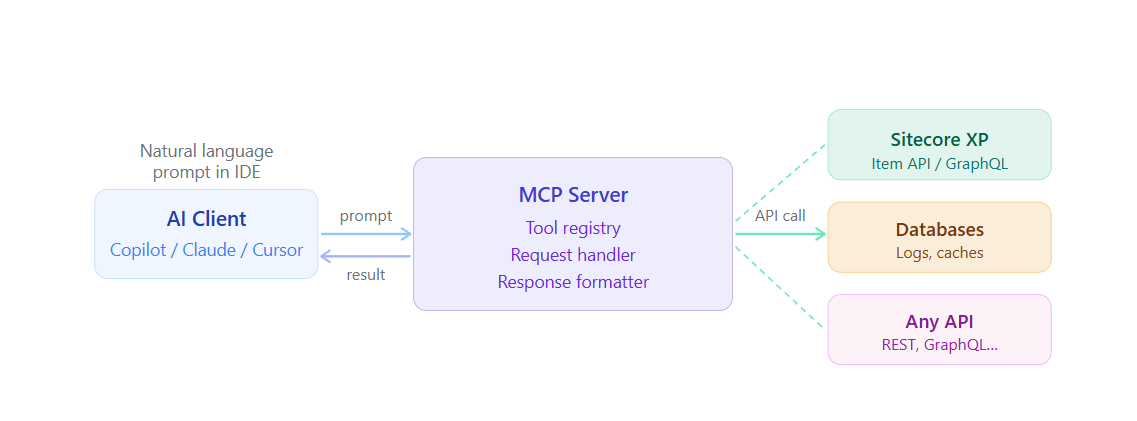
The Model Context Protocol (MCP) is enabling a genuinely new class of developer tools. Sessions at SUGCON showed teams using MCP to build migration engines that dramatically cut the time and risk of moving content and configurations across Sitecore environments.

What used to be weeks of careful manual work is being transformed into guided, AI-assisted workflows. For anyone who has managed a large content migration on a Sitecore project — you’ll understand just how significant that is.

Building Hallucination-Safe AI Assistants

This was one of the most practically useful sessions of the conference.

Building AI assistants on top of a DXP is only valuable if those assistants can be trusted. Speakers walked through architectural patterns for:

  • Grounding AI responses in verified, approved content sources
  • Implementing guardrails that prevent out-of-scope or incorrect responses
  • Designing systems that fail gracefully — rather than confidently generating wrong answers
⚠️ Key insight from this session: The shift isn’t just about adding AI to your implementation. It’s about treating AI as an engineering discipline with proper reliability, testing, and governance built in from day one.

🔷 XM Cloud and Headless: Maturing Faster Than You Might Think

For developers in the headless space, the XM Cloud and Next.js sessions offered some of the most immediately actionable content of the two days.

The state of headless Sitecore in mid-2026 is genuinely more mature than it was even 12 months ago. Sessions covered:

  • Next.js performance optimization for Sitecore-powered sites — tackling real-world bottlenecks around rendering strategies, edge caching, and ISR/SSR tradeoffs
  • Composable DXP architecture patterns that are proving out at scale in production environments
  • Developer experience improvements in XM Cloud — local development tooling, component scaffolding, and how teams are structuring their headless codebases for maintainability

The clearest signal from these sessions: headless isn’t the “advanced” or “optional” approach anymore. It’s becoming the default, and the ecosystem tooling around it is catching up fast.

✅ Tip: If you’re still on a traditional Sitecore rendering model and haven’t started exploring a composable path yet, now is the time to start. The XM Cloud ecosystem is ready.

🔷 The Community: Still What Makes SUGCON Special

I’d be doing a disservice to the conference if I only talked about the technology.

What makes SUGCON India genuinely different from any other enterprise tech event is the people — and the culture of openness they’ve built together. Sitecore MVPs, architects, developers, and product leaders all in the same space, sharing knowledge freely, asking hard questions, and genuinely helping each other figure things out.

This edition had a particularly meaningful moment: a heartfelt farewell to Tamas Varga, whose energy and vision have shaped the SUGCON community for years. And a warm welcome to Sebastian Winter, stepping into his new leadership role — wishing him the very best as he continues building on that momentum.

A huge shoutout to the organizing committee who made this all happen in Delhi:

Sakshi Khurana, Sean Broderick, Rob Earlam, Hardeep Bhamra, Vikas Kumar, Yamini Punyavathi Muttevi, Raman Gupta — and every volunteer and sponsor who contributed behind the scenes.

And to the sponsors — Horizontal Digital, Altudo, Arroact Technologies, BIZTECHNOSYS, Codehouse, EPAM Systems, and Techxot — thank you for supporting the community.

🔷 My Personal Takeaways — What I’m Doing Differently Now

Here’s what I’m taking back to the desk and actually acting on:

On vNext and platform modernization: Start getting familiar with the Strangler Fig approach now — don’t wait for a migration to be forced. Understanding the pattern early means you can start shaping your current implementation to support it.

On AI: Move past experimentation. If you’re building anything with AI in the Sitecore space, invest in understanding MCP and hallucination-safe design patterns. The maturity bar for production AI implementations is rising quickly.

On headless and XM Cloud: If you haven’t started the composable journey yet, the ecosystem is ready for you. The tooling, patterns, and community knowledge are all there now.

On community: Show up. Whether at SUGCON, local Sitecore user groups, or online forums — the knowledge shared in this community is one of the most underrated resources in the Sitecore ecosystem, and it only works because people contribute to it.

Wrapping Up

SUGCON India 2026 was a reminder that the Sitecore ecosystem isn’t standing still. vNext signals a platform team that has listened carefully to years of community feedback and is building for the next decade — not defending the last one.

The combination of modern .NET foundations, AI woven thoughtfully into the platform, and a maturing headless ecosystem makes the next 12–18 months a genuinely exciting time to be working in this space.

I hope this recap was useful — whether you attended and want to consolidate your notes, or you couldn’t make it and wanted a proper rundown of what happened.

Stay tuned for more Sitecore articles, tips, and deep-dives right here on the blog.

Till then, Happy Sitecoring! 😊

Did you attend SUGCON India 2026? What was your biggest takeaway? Drop it in the comments below — I’d love to hear from you!


AI Personalization and Governance in SitecoreAI — What We Got Wrong First, and How We Fixed It

Hello Sitecorian Community,

If you have set up personalization on a SitecoreAI project, you’ve probably come across a situation like this a few months after go-live:

“Our personalization is configured. Decision models are deployed. But the analytics show variants are serving to only 4–5% of sessions. Everything else is hitting the fallback experience.”

And separately, when AI-generated content first goes into a governance review:

“If the AI produces something incorrect or off-brand — who is responsible for catching it, and what is the process for fixing it?”

Both of these come up on almost every enterprise SitecoreAI project. They look like different problems, but they have the same root cause: teams move to implementation before fully understanding how the underlying system works.

In this post I want to cover what we got wrong with personalization first, how we fixed it, and then walk through the governance setup that addresses the second question properly.

The Real Problem With Personalization Underperforming

The first thing worth clarifying — because there is a lot of confusion about this:

Sitecore Personalize decision models are primarily rules-based, not machine learning models that train automatically from your visitor traffic.

They are built on the DMN (Decision Model and Notation) standard. You define conditions, decision tables, and business logic on a visual canvas. Decision models should run in under 200ms — going beyond that risks impacting the visitor experience. This is a hard limit to design to, not a guideline. (Source: Fishtank practitioner implementation guide, confirmed by community implementations.)

Machine learning is available through optional Analytical Model components, but these connect to external propensity or forecast models that you supply via REST API. Sitecore does not auto-train models from your site’s visitor data. You bring the model; Sitecore Personalize calls it.

This matters because the most common mistake we see is teams building complex decision models and then assuming they need more traffic data before they work. In most cases, that is not the problem at all.

Why Variants Were Serving to Only 5% of Sessions

In our experience, low variant serving rates almost always trace back to one of three specific things:

  • Conditions are too narrow. The decision rules don’t match enough real visitor profiles to fire. Teams write conditions based on ideal visitor segments, not how real visitors actually arrive on the site.
  • Guest profiles are missing session event data. The conditions reference behavioral data — page views, interactions, past purchases — but that data was never captured because the Cloud SDK was not set up correctly from day one.
  • The Cloud SDK initialised too late. Behavioral events from the visitor’s first interactions never reached CDP, so there was nothing for the decision model to work with.

⚠️ The step most teams skip: Sitecore’s own best practices documentation recommends running a decision discovery workshop before building anything — bringing together analysts, architects, marketers, and data leads to define the expected outcome, the required input data, and the decision logic. Most low personalization rates we have seen trace back directly to skipping this step and jumping straight to the canvas.

The Two Personalization Layers — Which One to Use When

There are two separate personalization mechanisms in SitecoreAI and it is important to be clear about what each one is for:

XM Cloud Built-inSitecore PersonalizeRule-based: geo, authentication state, device typeDMN decision models, optional external ML Analytical ModelsAvailable from day one — no additional product neededRequires Cloud SDK initialised correctly + CDP event data flowingWorks well for: simple launch-day conditionsWorks well for: complex behavioral targeting, multi-source decisioningNo discovery workshop required for basic setupDiscovery workshop recommended before building any decision model

The sequence that has worked well for us on multiple projects:

  1. Run the decision discovery workshop with the full team — define the outcome, inputs, and decision logic before opening Sitecore Personalize
  2. Launch with XM Cloud built-in rules for the simple conditions at go-live
  3. Validate the Cloud SDK is initialised correctly and events are actually landing in CDP
  4. Build Personalize decision models once you have confirmed the event data is clean, complete, and matching what your conditions expect

The Cloud SDK Initialisation Problem

This is the most common root cause we find when personalization is underperforming — and it is an invisible problem until you know to look for it.

If the Cloud SDK initialises after user interactions have already fired — which happens easily in React applications when component mount order is not carefully managed — the visitor’s earliest behavioral events never reach CDP. Those early events are often the highest-intent signals you have. Losing them means decision conditions based on page view counts, product category interests, or funnel stage simply never trigger.

The fix is straightforward. Initialise in the application root, before any component that fires events:

// ✅ Correct — in _app.tsx or the root layout
// Must run before any child component mounts
import { init } from '@sitecore/engage'
useEffect(() => {
init({
clientKey: process.env.NEXT_PUBLIC_CDP_CLIENT_KEY,
targetURL: process.env.NEXT_PUBLIC_CDP_TARGET_URL,
pointOfSale: process.env.NEXT_PUBLIC_CDP_POINT_OF_SALE,
cookieDomain: window.location.hostname,
cookieExpiryDays: 365,
})
}, []) // Empty dependency array - runs once on mount

✅ Tip: Add a test that confirms the SDK initialises before the first behavioral event fires. We added this to our integration test suite after finding the problem on a live project. It has caught the issue twice since then in earlier environments before it reached production.

How We Approach Experiment Design

Personalization without measurement is decoration. Before any personalized variant goes live, we agree on these things in writing — not after the experiment has already been running for two weeks:

  • A single clear hypothesis — for example, “showing industry-specific case studies to financial services visitors on the solutions page will increase demo request form submissions”
  • One primary conversion metric tied to a real business outcome, not a proxy metric like time on page or scroll depth
  • A minimum runtime before anyone looks at results — stopping an experiment after a few days because the early numbers look good gives you noise, not signal
  • A statistical significance threshold agreed before launch — 95% is the standard; 90% is acceptable for lower-stakes tests where speed matters more

One more thing: do not run multiple experiments on the same page at the same time. When two experiments are running simultaneously, you cannot isolate which one caused any change in conversion. We learned this the hard way on a project where three experiments were live at once and the results were completely uninterpretable.

Why This Helped Our Team — Personalization

Before we understood these patterns:

  • Variants served to 4–5% of sessions — default fallback almost everywhere
  • CDP guest profiles had incomplete behavioral event data because SDK was initialising too late
  • Decision models built without a discovery workshop were matching conditions almost nobody actually met
  • Experiments ran without agreed hypotheses — results were disputed and inconclusive

After:

  • Decision discovery workshop runs before any canvas work begins
  • SDK initialisation test is part of the standard integration test suite
  • Variant serving rates improved significantly once conditions matched real visitor profiles
  • Experiments have written hypotheses, success metrics, and minimum runtimes agreed before launch

Now — Governance for AI-Generated Content

In a governance review on a recent project, the client’s risk team asked this:

“If the AI generates content that is factually incorrect, or that violates our brand guidelines, or our regulatory requirements — who catches it, and what is the process for fixing it before it reaches the public site?”

The system was working well technically. But there was no governance model to point to. That is a different problem and it needs to be solved before AI-generated content goes near production — not after a stakeholder raises it in a review.

1. Human Review Is Structural — Not a Nice to Have

Sitecore’s own platform design is explicit about this: AI agents generate and automate, but human review sits before any content reaches production. In every Agentic Studio Flow we build, every path that leads to a publish action has a Spaces review step between it and the publish trigger.

This is not about distrust of the AI output. It is about having a clear, auditable answer to the question: “who approved this content before it went live?” That answer needs to be a named person with a timestamp — not “the agent did it.”

❌ Without Human Review Gate

  • AI generates → publishes directly
  • No audit trail for what shipped
  • No one to catch off-brand or incorrect output
  • Governance review fails on first question

✅ With Spaces Review Step

  • AI generates → goes to review board
  • Author approves, edits, or rejects
  • Approval record with name + timestamp
  • Governance review has a real answer

2. Brand Guardrails Need Testing — Not Just Configuration

Sitecore Stream grounds AI generation in your brand guidelines document. This reduces off-brand output. But “reduces” is not the same as “prevents” — and in a regulated industry, that distinction matters.

What we do in practice:

  • Define “on-brand” in explicit, testable terms — specific phrases to avoid, required tone characteristics, prohibited content categories — not just “upload the PDF”
  • Build a validation test set of 20–30 prompts with known expected outputs, and known boundary cases that should produce a compliant refusal or flagged output
  • Re-run this validation set after any brand guidelines update, and after any platform update that touches the Stream layer
  • Log every AI generation with prompt, model version, and timestamp — this is the audit trail for compliance questions

⚠️ Common mistake: Teams upload the brand guidelines PDF once at setup and assume the guardrails are working. Brand guidelines change. Platform updates happen. Without a validation test set that runs regularly, you do not actually know what the guardrails are doing.

3. AI Configuration Should Be Environment-Specific

Dev, staging, and production should not use the same AI model, the same brand guidelines document version, or the same moderation settings. We treat all AI configuration the same way we treat database connection strings — stored as environment-specific variables, version-controlled, never hardcoded.

Config ItemDevStagingProductionAI modelLighter capacity — lower cost for iterationProduction parityFull capacityBrand guidelines docWorking draftClient-approved draftFinal approved versionModeration thresholdLenient — faster feedback loopMediumStrictHuman review gateOptionalRequiredRequired

4. CI/CD Pipeline — What Changes With SitecoreAI

The existing XM Cloud deployment pipeline carries over — Deploy App, Sitecore CLI, GitHub Actions all work the same way. What is new is that the pipeline may now need to handle agent and flow deployments from Agentic Studio and app deployments from App Studio. The DevOps tooling for Studio is still maturing through 2026, so expect some manual steps while that catches up.

Here is the pipeline sequence we use on SitecoreAI projects:

1. Unit tests — JSS components (Jest / React Testing Library)
2. Sitecore CLI sync — content serialization validation
3. Integration tests — webhooks, Management API (all workflow states)
4. Brand guardrail validation suite ← automate this, do not skip it
5. Deploy to staging via Deploy App API
6. Smoke tests — page render, personalization variants, search results
7. Manual approval gate ← required before any production deployment
8. Deploy to production via Deploy App API

✅ Step 4 is the one most teams skip in early sprints and then regret later. Automating the brand guardrail validation as part of CI means you find problems before they reach staging, not after a client review.

5. Questions to Have Answers for in Regulated Industries

If you are building for financial services, healthcare, or public sector clients, prepare clear answers to these before any pre-sales conversation or delivery kick-off:

  • Data residency: SitecoreAI runs on Microsoft Azure. Sitecore Stream uses Azure OpenAI. Confirm which Azure regions are used for processing. Clients with strict data residency requirements will ask this in the first security review.
  • Retention: Define a log retention policy for AI generation records before go-live. These are audit records, and regulated industries often have minimum retention requirements that vary by sector.
  • Model transparency: Log the exact model version alongside every AI generation event. If a compliance issue surfaces six months after launch, you need to be able to show which model version produced that content on that date.
  • Bias and fairness: Healthcare and public sector clients will ask whether AI-driven personalization treats different audience segments equitably. Plan periodic audits of personalization variant distribution across demographic segments into your operational monitoring — not just as a one-time launch check.

Why This Helped Our Team — Governance

Before we had a governance model in place:

  • No audit trail for AI-generated content that had shipped to production
  • Brand guardrails assumed to be working — no regular validation running
  • AI configuration differences between environments were undocumented and inconsistent
  • Data residency and retention questions in client reviews had no ready answers

After:

  • Every piece of AI-generated content that reached production has an approval record — named reviewer, timestamp, and any edits made
  • Brand guardrail validation runs as part of CI — problems are caught before staging, not in client reviews
  • AI configuration is version-controlled alongside the rest of the codebase, with clear environment-specific settings
  • Data residency, retention, and model transparency answers are prepared as standard artefacts in the project discovery phase

Final Thoughts

Personalization and governance are two areas where teams consistently invest less time upfront than they should — and then spend significantly more time fixing things after go-live than they would have spent getting the foundations right at the start.

For personalization: run the decision discovery workshop. Validate the Cloud SDK before any experiment goes live. Match conditions to real visitor profiles, not idealised ones.

For governance: set up the human review gate before the first AI agent touches production. Treat brand guardrails like tests — they need to run regularly, not just once at setup. And have the regulated industry questions answered before a client asks them in a review meeting, not during one.

That wraps up the Sitecore AI series. I hope these three posts have been useful — whether you are planning a new SitecoreAI project, mid-way through an XM Cloud migration, or trying to figure out why your personalization is not firing the way you expected.

Stay tuned for more Sitecore-related articles, tips, and tricks to enhance your Sitecore experience.

Till then, happy Sitecoring! 😊

Please leave your comments or share this article if it’s useful for you!

Thursday, May 14, 2026

XM Cloud Migration and API Patterns — Real Challenges We Faced and How We Fixed Them

Hello Sitecorian Community,

If you’ve worked on a Sitecore XM Cloud migration project, you’ve probably faced something like this:

“The architecture is signed off. The team starts building. Three weeks in, we discover 80% of the existing MVC components won’t work. The estimate needs to triple.”

This is not a rare situation. It happens regularly because most migration guides focus on what to do at a high level — not the specific things that will actually bite you mid-sprint.

In this post, I want to share the real challenges we’ve encountered on XM Cloud migration projects, and the API integration patterns that break in production even when they work fine in dev.

The Real Problem With XM Cloud Migrations

The first thing to be clear about:

Migrating from Sitecore 10 MVC to XM Cloud is not an upgrade. It is a full re-platforming to a headless, SaaS architecture.

Here is what changes at the architecture level:

Traditional Sitecore MVCXM Cloud (Headless)Controller renderings + Razor viewsJSS components in Next.js / ReactServer-side rendering and logicFrontend-driven renderingCD server for content deliveryExperience Edge CDN — no CD serverxDB-driven personalizationRule-based only, or Sitecore PersonalizeTight coupling with .NETAPI-first, decoupled architecture

Challenge 1: Every MVC Rendering Needs to Be Rebuilt

This is consistently the largest effort in any migration.

Controller renderings, Razor views, rendering parameters, server-side visibility logic — all of it needs to become a JSS component. There is no conversion path. You rebuild using the Headless SXA information architecture:

  • Tenant → Site → Pages
  • Page Designs and Partial Designs replace layouts
  • All rendering logic moves to the frontend
  • Custom placeholder logic needs to be redesigned — older nesting patterns don’t map cleanly

⚠️ If your existing solution is not SXA-based: adopting Headless SXA becomes an additional workload on top of the component rebuild. You need to re-map your entire solution into the SXA tenant/site/page structure. Budget for this separately.

Challenge 2: Personalization Cannot Be Migrated — It Needs to Be Redesigned

This is the one that surprises most teams.

XP personalization was powered by xDB analytics. XM Cloud does not have xDB. The personalization rules you built on XP will not work in XM Cloud. Do not try to port them — the engines are fundamentally different.

What we did instead:

  • Audited every existing personalization rule
  • Identified the business intent behind each rule
  • Redesigned using XM Cloud built-in rules for simple cases (geo, auth, device type)
  • Used Sitecore Personalize for anything requiring behavioral targeting or multi-source decisioning

This needs to be a separate scoping conversation with the client — not something discovered during sprint three.

Challenge 3: Bad Content Migrates Perfectly

The tooling (Sitecore CLI, Content Serialization) handles the mechanical migration well. What it cannot fix is content that was already messy.

Common issues we see after migration:

  • Items losing workflow state or associations
  • Media references breaking because folder casing changed
  • Personalize dependencies still embedded in content items
  • Old placeholder configurations causing component mapping errors
  • Inconsistent templates creating template explosion in the new environment

✅ What helped us: Run a full content audit before any migration script runs. Agree a freeze period with the client — no new content during the audit and initial migration window. It sounds disruptive but saves weeks of cleanup later.

Challenge 4: The C# Team and Next.js

Most established Sitecore teams are strong in C#. All XM Cloud documentation and official tooling assumes you are building with Next.js.

The ASP.NET Rendering SDK exists but you will be off the golden path — fewer examples, less community support, and real limitations when integrating with Sitecore Personalize.

What helped us: We ran a Next.js learning sprint before the project kicked off. Getting two or three developers comfortable with React, the JSS SDK, and the Next.js App Router before sprint one paid back immediately. Don’t skip this step.

About SitecoreAI Pathway

Sitecore announced SitecoreAI Pathway at Symposium 2025. Here is what we know from official sources:

  • Handles content migration only — not code. The rendering rebuild is still a separate effort
  • Up to 70% faster content migration timelines — around 100,000 pages migrated during beta
  • Included in Sitecore 360 subscriptions at no extra cost
  • Supports Sitecore XP migrations now, rolling out to Adobe/Optimizely/Contentful
  • AI + human-in-the-loop — you validate and correct what the AI missed

If your client is on Sitecore 360, include a Pathway assessment in your discovery phase.

API Integration — The Patterns That Break in Production

Moving to API integration patterns on Sitecore projects. Here is a scenario we’ve encountered more than once:

“The integration with the CRM worked perfectly in dev and UAT. On go-live day, under real traffic, it starts timing out. Logs point to Experience Edge GraphQL being hammered.”

API failures on Sitecore projects are rarely about writing the wrong code. They are almost always about not fully understanding how Experience Edge works.

How Experience Edge Actually Delivers Content

Experience Edge is Sitecore’s globally distributed, CDN-backed GraphQL API. Your Next.js rendering host fetches content from Edge — not directly from the CM.

Two critical things that follow from this architecture:

  • Custom Content Resolvers do not execute on Edge. They run at publish time only. If your resolver needs runtime context (visitor’s browser, query string, session data) — that is not supported on Edge. Redesign around it.
  • Content not appearing on the live site? Check the publish-to-Edge pipeline first, not your Next.js code. A publishing job that fails silently during busy editorial periods is a common cause — set up infra-level alerting on Edge publish failures.

Caching Strategy — Don’t Treat All Data Sources the Same

The pattern that breaks most often: a page pulls from XM Cloud content, a product API, and CDP profile data — all with the same caching approach. Change frequency is completely different for each source:

Data SourceChange FrequencyCorrect StrategyXM Cloud contentHours to daysISR or full static generation (Next.js)Product / commerce dataMinutes to hoursServer-side with short revalidationCDP profile / audience dataPer sessionClient-side fetch after page load — cannot be edge-cached

The Webhook Write-Back Problem

A common integration pattern now with SitecoreAI: a webhook fires → Azure Function calls an AI service → result writes back to Sitecore via the Management API.

The silent failure we hit: the Management API respects workflow state. If the agent tries to write to an item in an approved or published workflow state, and the API token does not have override permissions — it fails silently. No error in logs. No exception thrown. Just nothing happens.

# Always test write-back against every workflow state:
# Draft state → write allowed ✅
# Awaiting review → depends on token permissions ⚠️
# Approved state → fails silently without override ⚠️
# Published state → fails silently without override ⚠️

✅ Fix: Add Management API write-back tests for every workflow state your implementation uses. Not just the happy path. This test will save you a go-live incident.

Use Sitecore Connect Before Writing Custom Code

Before writing any custom integration from scratch, check Sitecore Connect first. It ships with pre-built connectors for Salesforce, OpenAI, Gemini, and others. Connect integrations operate within SitecoreAI’s governance and audit model. A custom webhook pipeline does not. For enterprise clients with compliance requirements around data flows — this distinction matters.

Why This Helped Our Team

Before understanding these patterns:

  • Go-live issues were hard to diagnose — wrong place to start debugging
  • Multi-source pages had inconsistent behaviour under load
  • Webhook write-backs silently failed in certain workflow states

After:

  • Published pipeline alerts catch Edge failures before users report them
  • Each data source has a caching strategy matched to its change frequency
  • Integration test matrix covers all workflow states explicitly

Final Thoughts

XM Cloud migration and API integration both require understanding the underlying architecture deeply — not just following the official documentation. The documentation tells you what things are. Real project experience tells you where the edges are.

If you are planning an XM Cloud migration, run a full rendering inventory and content audit before committing to a timeline. Those two things will tell you more about the true scope than any architecture review.

Stay tuned for more Sitecore-related articles, tips, and tricks to enhance your Sitecore experience.

Till then, happy Sitecoring! 😊

Please leave your comments or share this article if it’s useful for you!

Monday, April 20, 2026

SitecoreAI and Sitecore Studio — What Actually Changed and What We Can Build Now

 Hello Sitecorian Community,

If you’ve been working on Sitecore projects over the last few years, you’ve probably seen this situation at some point:

“We have XM Cloud for content, CDP for customer data, Personalize for targeting, and Content Hub for assets — but our team spends half the day switching between four different portals.”

And honestly, that was the reality for most enterprise Sitecore projects. Different logins. Different APIs. Different billing conversations. Developers writing integration glue between products that were supposed to talk to each other.

At Sitecore Symposium 2025 in Orlando, Sitecore announced SitecoreAI — and on November 10, 2025, every XM Cloud tenant was automatically upgraded. No migration. No new contract required.

Let me walk through what actually changed, and what it means for teams building on Sitecore right now.

What Is SitecoreAI, Really?

The simplest way to say it:

SitecoreAI is XM Cloud + CDP + Personalize + Search + Content Hub — all unified into one platform, one login, one data model, with AI built into every layer.

Sitecore calls this shift going from “composable” to “composed.” The flexibility is still there underneath. But the friction between products is significantly reduced on top.

Before vs. After

❌ Before (XM Cloud era)

  • 4 separate portals, 4 logins
  • Token-based AI billing surprises
  • Separate contracts for each product
  • Sitecore Stream was a separate add-on
  • “You can’t customise SaaS”

✅ After (SitecoreAI)

  • One unified workspace, one login
  • No token billing — one metric per module*
  • Buy one module, access the full suite
  • Brand-aware AI copilot baked in
  • Sitecore Studio — governed extensibility

* Sitecore COO Dave Tilbury on stage at Symposium: “no addons, no upsells, no tokens, no games.” Pricing shifts to one metric per module — e.g. requests for CMS, profiles for CDP. Source: Sitecore Developer Portal FAQ.

What Stays the Same for Developers

This is probably the most important thing for teams who are mid-project:

  • Your JSS setup is unchanged
  • Your Sitecore CLI and serialization workflows carry over
  • The Deploy App pipeline works exactly the same
  • All existing SDK integrations continue without breaking changes

The platform adds new capabilities on top. It doesn’t remove what was already working.

⚠️ One thing to watch: Content Hub integration into SitecoreAI is being phased through 2026. If your project depends heavily on Content Hub DAM workflows, check the Sitecore changelog regularly and build with loose coupling where Content Hub is involved.

Sitecore Studio — The Part That Changes Daily Workflows

If SitecoreAI is the platform, Sitecore Studio is where we actually build and extend things. It has four parts:

  • Agentic Studio — build and run AI agents and multi-step flows
  • App Studio — build and package custom extensions and apps
  • Sitecore Connect — pre-built connectors (Salesforce, OpenAI, Gemini, etc.)
  • Marketplace — discover and publish community-built agents and apps

Agentic Studio — Four Concepts You Need to Know First

Everything in Agentic Studio is built around four things. Understanding these before you start building will save a lot of confusion:

A Real Use Case: Bulk SEO Metadata Generation

Here is a situation we came across recently. A client had 600 product pages that needed SEO titles, descriptions, and keywords updated before a Monday go-live. Previously, this would mean a custom PowerShell pipeline and a lot of manual effort.

With Agentic Studio, here is how the flow looks:

Step 1 — Create the Agent

In Agentic Studio, create a new agent with one clear purpose: “Generate SEO metadata for a given page item.” Keep the scope narrow. One agent = one job. This gives you consistent, predictable output.

Step 2 — Add Brand Context

Upload the client’s brand guidelines document as RAG context for the agent. Sitecore Stream uses this to ground the AI generation. The output then sounds like the client’s actual brand voice — not generic AI copy.

Step 3 — Add a Human Review Step

Connect the agent to a Spaces review step before any publish action. This is not optional in enterprise setups. When a stakeholder asks “who approved that AI-written content?” — you need to point to an actual approval record.

Bulk content trigger (query content tree)

[Agent: Generate SEO Metadata]

[Spaces: Author Review Board]
↓ (on approval)
[Publish to Experience Edge]

Step 4 — Run It Overnight

Attach a bulk trigger to the flow with a content tree query. 600 pages queue through the agent overnight. Monday morning, the review board has everything waiting. Authors approve or edit, then publish. The weekend is saved.

App Studio — For Developers Specifically

While Agentic Studio is for building flows, App Studio is where developers build the underlying extensions — custom connectors, UI plugins, packaged apps that extend the platform.

Think of it as the modern replacement for custom pipelines and processor chains, but built as versioned, deployable, shareable apps. If you have a Helix background, the pattern feels familiar — bounded modules, clear interfaces, single responsibility. The deployment model is SaaS-native instead of server-side, but the discipline translates directly.

Before You Demo — Set Up Permissions First

One thing we learned early: configure role-based permissions in Sitecore Studio before showing it to a client. Studio uses the same permission model as the rest of SitecoreAI. You can control who creates agents, who deploys flows, who can modify a live workflow.

The question “can someone accidentally publish AI content to production?” will always come up. Having the answer ready — and demonstrating the controls — builds a lot of confidence.

Why This Matters for Our Teams

Before SitecoreAI:

  • Bulk content operations needed custom PowerShell scripts
  • AI generation required external tooling and custom pipelines
  • No governed way to build reusable AI workflows inside the platform

After SitecoreAI:

  • Agents handle bulk operations with a structured flow
  • Brand-aware generation is built into the authoring environment
  • App Studio gives developers a governed way to build and ship extensions

Final Thoughts

SitecoreAI is not just a name change. It is a genuine platform shift that changes how teams work day to day — from how content is created, to how integrations are built, to how AI automation fits into existing workflows.

The good news for teams mid-project: your existing toolchain is unchanged. You can start exploring Studio incrementally without disrupting what is already in flight.

If you are starting a new project, I would recommend spending a sprint early just exploring Agentic Studio. Build one simple agent, run it through a flow with a review step, and see where it fits in your client’s content operations. That early spike will shape how you scope the rest of the project.

Stay tuned for more Sitecore-related articles, tips, and tricks to enhance your Sitecore experience.

Till then, happy Sitecoring! 😊

Please leave your comments or share this article if it’s useful for you!

Saturday, April 4, 2026

Cleaning Up Sitecore Versions at Scale: A Practical PowerShell Approach


Hello Sitecorian Community,

If you’ve worked on a large Sitecore implementation, you’ve probably seen this happen:

Items with 10, 20, sometimes even 50+ versions sitting in the system.

At first, it doesn’t seem like a big deal. But over time:

  • Content trees become heavier
  • Database size increases
  • Performance can degrade
  • Content management becomes harder

And eventually, the question comes up:

How do we safely clean up old versions without breaking anything?

The Real Problem

In enterprise setups (like ours managing hundreds of websites), version sprawl is very common.

Typical scenarios:

  • Frequent content updates create multiple versions
  • Publishing pipelines don’t remove old versions
  • Editors rarely clean up older versions manually
  • Multiple languages multiply the problem

Manually deleting versions is not scalable and also risky.

What We Needed

We wanted a solution that:

  • Works recursively across content trees
  • Supports all languages
  • Keeps only the relevant versions
  • Deletes only safe-to-remove versions
  • Can run in dry-run mode before actual cleanup

Two Cleanup Strategies We Implemented

We ended up building two PowerShell scripts using Sitecore PowerShell Extensions (SPE) depending on the use case.

1️⃣ Basic Cleanup: Keep Latest 3 Versions

This is the simplest and most commonly used approach.

Behavior

For an item with versions:

10, 9, 8, 7, 6

The script will:

  • Keep → 10, 9, 8
  • Delete → 7, 6

If an item has 3 or fewer versions, it is skipped.

When to Use

  • General cleanup
  • Non-workflow-driven environments
  • Quick version reduction across large trees

Core Logic

$allVersions = Get-Item -Path $itemPath -Language $language -Version * |
Sort-Object { [int]$_.Version.Number } -Descending
$versionsToKeep = $allVersions | Select-Object -First 3
$versionsToDelete = $allVersions | Select-Object -Skip 3
foreach ($oldVersion in $versionsToDelete) {
$oldVersion.Versions.RemoveVersion()
}

2️⃣ Smart Cleanup: Keep Latest 3 Approved Versions

This is a workflow-aware cleanup, which is much safer for content-heavy environments.

Behavior

Example:

Versions:
10, 9, 8, 7, 6, 5, 4, 3, 2, 1

Case 1

Approved versions: 10, 9, 8
→ Keep: 10, 9, 8
→ Delete: everything else

Case 2

Approved versions: 10, 9, 7
→ Keep: 10, 9, 7
→ Delete: 8, 6, 5, 4, 3, 2, 1

Case 3

Approved versions: 10, 7
→ Skip (not enough approved versions)

Key Implementation Details

🔁 Recursive Execution

The script runs across:

  • Root item
  • All children
  • All descendants

🌍 Multi-language Support

Each language version is processed independently.

🧪 Dry Run Mode

Always start with:

$dryRun = $true

Then switch to:

$dryRun = $false

GitHub Repository

You can find both scripts here:

It includes:

  • Basic version cleanup script
  • Workflow-based cleanup script
  • Safe dry-run execution

Why This Helped Us

Before this:

  • Version cleanup was manual and inconsistent
  • Content trees became bloated
  • Investigations were harder

After this:

  • Cleanup became automated and safe
  • We reduced unnecessary versions significantly
  • Improved overall content hygiene

When Should You Run This?

  • After large deployments
  • As part of regular maintenance jobs
  • During performance optimization
  • Before database cleanup activities

Reference screenshot:


Final Thoughts

In large Sitecore environments, version management is often overlooked, but it plays a big role in performance and maintainability.

These scripts helped us:

  • Keep content clean
  • Reduce noise in version history
  • Maintain only what actually matters

If you’re dealing with version-heavy content trees, this approach can save a lot of time and effort.

Stay tuned for more Sitecore-related articles, tips, and tricks to enhance your Sitecore experience.

Till then, happy Sitecoring! 😊

Please leave your comments or share this article if it’s useful for you!

Monday, March 16, 2026

Debugging Sitecore Publishing Issues at Scale: A Simple PowerShell Tool That Saved Our Team Hours

Hello Sitecorian Community,

If you’ve worked with Sitecore in a large multi-site environment, you’ve probably faced this situation.

Someone reports:

“The content is updated in CMS but not visible on the website.”

And the investigation begins.

You start checking:

  • Is the item published?
  • Does it exist in the web database?
  • Is the revision updated?
  • Did the child items publish?
  • Is it a language version issue?

Now imagine doing this when you manage 300+ websites and hundreds of items move across environments every day.

That’s the reality our team deals with.

The Real Problem

Publishing issues in Sitecore are rarely obvious.

Sometimes:

  • The item exists in master but not in web
  • The item exists in both but revision IDs don’t match
  • The updated date differs
  • Only the parent item published, but children didn’t
  • Deployment pipelines move items but something silently fails

When troubleshooting these issues manually, developers often:

  1. Open master database
  2. Inspect the item
  3. Switch to web database
  4. Check again
  5. Compare Revision IDs
  6. Repeat for multiple items or entire trees

Doing this repeatedly across dozens (or hundreds) of items quickly becomes slow, frustrating, and error-prone.

Our Daily Reality

Our platform supports 300+ websites, and content changes constantly move between databases and environments.

During deployments or publishing validations, the most common question is:

Did the content actually publish correctly?

Finding that answer quickly is critical for developers, QA teams, and support engineers.

The Tool We Built

To simplify this process, we built a Sitecore PowerShell Extensions (SPE) script that compares items between two databases.

We call it:

Sitecore Publishing Validation Tool

GitHub Repository (script available here):
https://github.com/gaurarun777/SitecorePowerShell/blob/main/2026/sitecore-publishing-validation-tool.ps1

This script allows developers to:

  • Provide specific item paths
  • Provide root paths for recursive validation
  • Compare two databases (for example master vs web)
  • Validate Revision ID
  • Validate Updated Date
  • Detect missing or mismatched items

Instead of manually switching between databases, the script produces a comparison grid instantly.

The PowerShell Script

Below is the core idea behind the script used in our Sitecore environment.

# Simplified comparison logic
$sourceItem = Get-Item "${sourceDatabase}:$path" -Language $language
$targetItem = Get-Item "${targetDatabase}:$path" -Language $language
$sourceRevision = $sourceItem["__Revision"]
$targetRevision = $targetItem["__Revision"]
$sourceUpdated = $sourceItem["__Updated"]
$targetUpdated = $targetItem["__Updated"]
if ($sourceRevision -ne $targetRevision) {
$status = "Revision Mismatch"
}
elseif ($sourceUpdated -ne $targetUpdated) {
$status = "Updated Date Mismatch"
}
else {
$status = "Match"
}

The script loops through item paths and recursively scans content trees to validate publishing results between databases.

Developers can then quickly identify:

  • Items that failed to publish
  • Items with outdated revisions
  • Missing items in the target database
  • Partial publishing issues within item trees

What the Output Looks Like

The script generates a comparison grid showing:

  • Item Path
  • Exists in Source DB
  • Exists in Target DB
  • Source Revision ID
  • Target Revision ID
  • Updated Dates
  • Comparison Status

Example statuses:

  • Match
  • Revision Mismatch
  • Updated Date Mismatch
  • Missing in Target
  • Missing in Source

This makes it extremely easy to spot publishing issues.

Why This Helped Our Team

Before using this tool:

  • Troubleshooting publishing issues could take 30–60 minutes
  • Developers had to manually inspect each item
  • Recursive tree validation was tedious

Now:

  1. Paste item paths
  2. Select databases
  3. Run the script

Within seconds we can see exactly where publishing failed.

Why Sitecore PowerShell Extensions Is So Powerful

One thing I really appreciate about Sitecore PowerShell Extensions is how quickly developers can build practical operational tools.

With a few lines of PowerShell, you can automate tasks that would otherwise take significant manual effort.

SPE is extremely useful for:

  • Content validation
  • Publishing verification
  • Bulk content operations
  • Content audits
  • Operational automation

Final Thoughts

When working with large Sitecore implementations, operational tooling becomes just as important as development.

Sometimes the biggest productivity improvements come from small internal tools that solve daily problems.

This publishing validation script became one of those tools for our team.

If you manage a large Sitecore environment, I highly recommend building small utilities with Sitecore PowerShell Extensions to simplify repetitive tasks.

They might save your team more time than you expect.

Reference Screesnhots:


If you’re interested in trying the script, you can find it here:

GitHub:
https://github.com/gaurarun777/SitecorePowerShell/blob/main/2026/sitecore-publishing-validation-tool.ps1

Would love to hear what internal tools or automation scripts your Sitecore teams are using to improve daily operations.

Stay tuned for more Sitecore-related articles, tips, and tricks to enhance your Sitecore experience.

Till then, happy Sitecoring! 😊

Please leave your comments or share this article if it’s useful for you!

Tuesday, March 10, 2026

Auditing Sitemap Cache Configuration Across 300+ SXA Sites in Sitecore 10.4

Hello Sitecorian Community,

In large SXA implementations, operational issues rarely affect just one site. In our case, we were working on a Sitecore 10.4 SXA solution with 300+ websites, and we encountered a performance concern:

The sitemap refresh job was executing more frequently than expected.

To properly investigate the issue, we first needed visibility.

Specifically, we needed to answer:

  • How many sites actually have a Sitemap item?
  • What values are configured for:
  • Refresh Threshold
  • Cache Type
  • Cache Expiration
  • Are there inconsistencies across tenants and sites?

Manually checking 300+ sites was not realistic. Automation was the only viable approach.

Understanding the SXA Structure

In SXA, the typical structure looks like this:

/sitecore/content/{Tenant}/{Tenant}/{Site}/Settings/Sitemap

The configuration fields we were interested in are stored directly on the Sitemap item under the Settings node.

The required fields:

  • Refresh Threshold
  • Cache Type
  • Cache Expiration

Our goal was to extract:

  • Sitemap item path
  • Configured values of the three fields
  • Total count of sitemap items found

Approach: Automating with Sitecore PowerShell Extensions (SPE)

Instead of writing everything from scratch, I reused an existing PowerShell script that I had previously written for deleting Flashes items in an older SXA setup.

Given that we now have powerful AI-assisted tools available, I provided the reference script to ChatGPT and adapted it to:

  • Traverse all Settings nodes
  • Locate Sitemap items
  • Extract required field values
  • Display results in a Show-ListView

This significantly reduced the time required to build a reliable audit script.

Final Working Script

# -----------------------------------------
# SXA: Read Sitemap cache settings per site
# Path pattern: .../Settings/Sitemap
# -----------------------------------------

# Fields on the Sitemap item
$fieldRefreshThreshold = "Refresh Threshold"
$fieldCacheType = "Cache Type"
$fieldCacheExpiration = "Cache Expiration"

$results = @()

# Find all "Settings" items under /sitecore/content (fast query by name)
$settingsItems = Get-Item -Path master: -Query "fast:/sitecore/content//*[@@name='Settings']"

foreach ($settings in $settingsItems) {

# Get child Sitemap item under Settings
$sitemapPath = "$($settings.Paths.FullPath)/Sitemap"
$sitemapItem = Get-Item -Path ("master:" + $sitemapPath) -ErrorAction SilentlyContinue

if ($null -ne $sitemapItem) {
$results += [pscustomobject]@{
SitemapItemName = $sitemapItem.Name
SitemapTemplate = $sitemapItem.TemplateName
SitemapPath = $sitemapItem.Paths.FullPath
"Refresh Threshold" = $sitemapItem[$fieldRefreshThreshold]
"Cache Type" = $sitemapItem[$fieldCacheType]
"Cache Expiration" = $sitemapItem[$fieldCacheExpiration]
}
}
}

# Show in list view
$results | Show-ListView `
-Title "SXA Sitemap Settings (Refresh Threshold / Cache Type / Cache Expiration)" `

-Property SitemapItemName, SitemapTemplate, SitemapPath, "Refresh Threshold", "Cache Type", "Cache Expiration"

Write-Host ""
Write-Host "Total Sitemap items found under Settings: $($results.Count)" -ForegroundColor Green

OutPut:

Why This Matters in Large SXA Implementations

In enterprise setups with hundreds of sites:

  • Configuration drift is common
  • Some sites may override defaults
  • Cache misconfiguration can lead to:
  • Excessive job executions
  • Increased publishing pressure
  • Performance degradation

Before fixing the problem, you need visibility.

Automation through SPE enables:

  • Rapid environment auditing
  • Cross-tenant configuration comparison
  • Reliable investigation at scale

Key Takeaways

  • In large multi-tenant SXA environments, manual verification does not scale.
  • Structural traversal (Settings/Sitemap) is a predictable way to audit configuration.
  • SPE is extremely powerful for operational investigations.
  • AI-assisted scripting can accelerate development when you already understand the architecture.

Conclusion

Investigating performance issues in a 300+ site SXA environment requires structured visibility and automation.

A small PowerShell audit script can save hours of manual effort and provide precise insights needed to diagnose job behavior in environments like jobs.aspx.

If you’re managing a multi-tenant SXA solution, consider building a small internal audit toolkit using SPE — it pays off quickly.

Stay tuned for more Sitecore-related articles, tips, and tricks to enhance your Sitecore experience.

Till then, happy Sitecoring! 😊

Please leave your comments or share this article if it’s useful for you!


Sunday, March 1, 2026

Understanding Sitecore Cache Behavior: Why Your PowerShell Updates Don't Appear (And How to Fix It Properly)

 Hello Sitecorian Community,

After 11 years architecting Sitecore solutions, I still see this question pop up regularly: “Why doesn’t my PowerShell script update show in the Content Editor until I clear cache?” It’s one of those things that trips up even experienced developers, especially when moving to containerized environments.

Let me walk you through what’s actually happening under the hood, and more importantly, how to handle it properly in enterprise implementations.

The Classic Scenario

You’re probably familiar with this pattern:

 $item = Get-Item "master:/sitecore/content/Home"
$item.Editing.BeginEdit()
$item["Title"] = "Updated via PowerShell"
$item.Editing.EndEdit()

Script executes clean. Database row updates. But Content Editor shows stale data. Refresh the browser — sometimes the new value appears, sometimes it doesn’t. Clear cache, everything’s suddenly correct.

If you’re scratching your head wondering why this happens, you’re thinking about Sitecore wrong. Let me explain.

Sitecore’s Memory-First Architecture

The key thing to understand: Sitecore is designed to avoid database calls at all costs. This isn’t a side effect — it’s the core architectural decision that lets Sitecore scale to millions of items.

Here’s what actually happens when Sitecore needs to retrieve an item:

First, check Item Cache: Sitecore looks for a fully constructed Sitecore.Data.Items.Item object in the Item Cache. If it’s there, return it immediately. Done. No further lookups needed.

If not in Item Cache, check Data Cache components: The Data Cache stores the raw building blocks:

  • ItemDefinition (ID, name, template ID, parent ID)
  • FieldList (which fields exist for this item)
  • Individual field values

If these components exist, Sitecore reconstructs the Item object from them, caches it in Item Cache, and returns it.

Finally, query the database: If the Data Cache doesn’t have what’s needed, Sitecore hits the [Items], [SharedFields], [UnversionedFields], and [VersionedFields] tables, loads the data, populates both Data Cache and Item Cache, then returns the item.

When you update an item via PowerShell, you’re writing directly to those database tables. But you’re not touching Item Cache or Data Cache. Your PowerShell script bypasses the entire ItemProvider event pipeline. No item:saved event fires. No cache invalidation events propagate. The EventQueue table doesn’t get new records. From Sitecore’s perspective, nothing changed.

The Multi-Cache Problem

This is where it gets interesting architecturally. Sitecore doesn’t have a single monolithic cache — it has multiple specialized caches that work together:

Item Cache: Stores complete Item objects (includes all fields, versions, language data)

Data Cache: Stores the raw components used to build items:

  • ItemDefinition objects
  • FieldList objects
  • Individual field values

StandardValues Cache: Stores template field default values (consulted when an item doesn’t have its own value for a field)

Path Cache: Maps item paths to GUIDs for fast lookups

AccessResult Cache: Stores security filtering results

Registry Cache: Configuration and settings

Here’s the problem: after a PowerShell update, you might have:

  • Item Cache: Contains old Item object with stale field values
  • Data Cache: Still has old field value entries
  • Path Cache: Correct (maps path to ID, which didn’t change)
  • Database: Has new values

When Sitecore retrieves your item, depending on cache state, you get inconsistent results. Two requests for the same item can return different data based on whether they hit Item Cache or rebuild from Data Cache or query the database.

I’ve debugged this with dotTrace profiler, and watching the cache hit patterns is fascinating. Here’s what actually happens:

// Request 1: Gets served from Item Cache
var item1 = Sitecore.Context.Database.GetItem(itemId);
// Returns cached Item object with old "Title" value
// Request 2: Item Cache entry was evicted, rebuilds from Data Cache
var item2 = Sitecore.Context.Database.GetItem(itemId);
// Rebuilds Item from field data, still sees old cached field values
// Request 3: Data Cache entries also evicted, hits database
var item3 = Sitecore.Context.Database.GetItem(itemId);
// Finally sees new value from database, then caches it

Why Docker Amplifies This

In traditional deployments, you might not notice this much. In containerized environments, it becomes painfully obvious. Here’s why:

Memory pressure: Containers typically run with 2–4GB RAM allocations versus 32GB+ on VMs. Cache eviction happens constantly.

Isolated process spaces: Each container has completely independent memory. CM and CD don’t share anything. In Kubernetes, you might have 3 CD replicas — each with its own cache state showing different versions of your content.

Frequent restarts: During development, containers restart constantly. Every restart = cold cache = more visible inconsistency.

No distributed cache by default: Unless you’ve implemented Redis or another distributed cache, each container is an island.

I’ve architected several Kubernetes-based Sitecore implementations, and this is where developers get bitten hard. They’ll make a PowerShell update on CM, publish it, then hit different CD pods and see different content. It’s not a bug — it’s architecture.

What Actually Happens in the UI

When you edit through Content Editor or Experience Editor, Sitecore triggers the full save pipeline through its event system. The item:saved event fires and propagates through multiple registered handlers that:

  1. Remove the item from Item Cache
  2. Clear Data Cache entries for that item ID
  3. Trigger StandardValues Cache clearing if it’s a template
  4. Add entries to the EventQueue table for remote cache invalidation across CM instances
  5. Update link database and search indexes
  6. Fire any custom event handlers you’ve registered

PowerShell’s BeginEdit()/EndEdit() methods skip all of this. They call directly into Sitecore.Data.DataProviders and write to the database. Fast, efficient, but completely bypasses the event pipeline — which means no automatic cache invalidation.

This is by design. PowerShell gives you low-level data access for performance. The trade-off is you’re responsible for cache management yourself.

Why Auto-Clearing Would Break Everything

Some developers ask: “Why doesn’t Sitecore just clear cache after every script operation?”

Think about the implications. I recently wrote a migration script that updated 50,000 items. If Sitecore cleared cache after each operation:

  • 50,000 cache clear operations
  • 50,000 cache rebuild operations on next access
  • Memory thrashing from constant allocations/deallocations
  • GC pressure from all that object churn
  • Potential OutOfMemoryException on large operations

On a production instance with millions of items, this would tank performance. Bulk operations would become impossibly slow. Memory usage would spike uncontrollably.

Sitecore’s design choice: give architects control. Want aggressive cache clearing? Do it. Want to batch updates and clear once? Do that. Want selective clearing? You got it.

The Pattern I Actually Use Now

After years of getting burned by this, here’s how I write PowerShell scripts now:

# Keep track of what I touched
$affectedItems = @()
# Do the actual updates
$items = Get - ChildItem "master:/sitecore/content/Home" - Recurse
foreach($item in $items) {
if ($item["Title"] - eq "OldValue") {
$item.Editing.BeginEdit()
$item["Title"] = "NewValue"
$item.Editing.EndEdit()
$affectedItems += $item
}
}
# Clear ONLY the items I changed
foreach($item in $affectedItems) {
[Sitecore.Data.Caching.CacheManager]::GetItemCache($item.Database).RemoveItem($item.ID)
}
# Publish to CD
foreach($item in $affectedItems) {
Publish - Item - Item $item - Target "web" - PublishMode Smart - Recurse: $false
}


This is way better than nuking all caches. You’re surgically removing just the stuff you changed. The rest of the cache stays intact, site stays fast, everyone’s happy.

Note: In most cases, clearing ItemCache alone is sufficient. DataCache entries are secondary and typically rebuild automatically. If you need more thorough cache clearing, you can add DataCache key pattern matching, but it’s rarely necessary for typical content updates.

Stuff That’s Saved Me Hours of Debugging

A few tricks I’ve picked up over the years:

Watch the EventQueue table: If you’re running multiple CMs (like in Kubernetes), check your Core database’s EventQueue table. I’ve seen situations where events just stop propagating between instances. Cache invalidation events pile up, never get processed, and suddenly different CMs show different content.

Turn on cache logging during dev: Just temporarily, because it’s chatty. But seeing exactly what’s getting cached and cleared makes everything make sense.

Use the Sitecore diagnostics tools: There’s a Support Diagnostics module that shows you what’s in cache right now. It’s like X-ray vision for understanding what’s happening.

Check Application Insights: On newer Sitecore versions, you can actually see cache hit/miss ratios. If your hit ratio is low, something’s wrong with your cache strategy.

The Publishing Thing Nobody Mentions

Here’s something that bit me hard when we went headless: clearing CM cache means nothing to your CD instances until you publish.

In the old days, some devs (not me, I swear) would point CD at the master database. Terrible practice, but it meant updates showed up everywhere immediately. In a proper architecture with separate CM/CD? Publishing isn’t optional.

And Publishing Service has its own cache quirks too. I’ve seen situations where the publishing job queue gets backed up, and suddenly your CD is minutes behind CM even though you’re publishing. Fun times.

What I Wish Someone Had Told Me Years Ago

Look, after writing probably hundreds of PowerShell scripts for Sitecore — migrations, bulk updates, automated content fixes — here’s what I’ve learned:

PowerShell changes the database, not the cache. You’re reaching under Sitecore’s hood and modifying data directly. Sitecore doesn’t know you did that unless you tell it.

Cache clearing isn’t overhead, it’s part of the job. Budget for it. Plan for it. Do it.

In real architectures, you HAVE to publish. Don’t rely on CM and CD magically staying in sync. They won’t.

Clear what you actually changed. Don’t be lazy and nuke everything unless you really need to.

Test in realistic environments. If your dev environment has unlimited memory and production doesn’t, you won’t see cache issues until it’s too late.

Once I stopped thinking of Sitecore like a traditional CMS and started understanding it’s really a memory-first system that happens to persist to a database, everything clicked. The cache isn’t misbehaving — it’s doing exactly what it’s supposed to. You just need to work with it.

These days, when a junior dev comes to me saying “my PowerShell script isn’t working,” I already know what they forgot. We all learn this lesson eventually. Hopefully, this helps you learn it a bit faster than I did.

Stay tuned for more Sitecore-related articles, tips, and tricks to enhance your Sitecore experience.

Till then, happy Sitecoring! 😊

Please leave your comments or share this article if it’s useful for you!